HubSpot credits used to be the thing you checked once, shrugged at, and forgot. HubSpot credits billing changed on September 16, 2026, when new credit packs started defaulting to pay-as-you-go, and that change landed on top of a July switch that turned every AI agent into a credit consumer. Put those together and you get a meter that charges for resolved chats nobody would call resolved, for smart properties that fill nothing, and for agents your team turned on to "just try." This post covers how the meter works, which billing cohort you are in, what each agent costs according to HubSpot's own rate sheet, and the controls that actually exist. It does not cover AEO pricing, support-bot comparisons, or AI write guardrails. Those are different fights.
HubSpot credits billing in one paragraph
Here is the version I give people on a call. HubSpot credits are a monthly balance for your whole account. The balance resets every month and unused credits do not roll over. When you go past it, overages are billed monthly in arrears, in increments of 10 credits, rounded down, per HubSpot's Understand HubSpot credits and billing article and the Product Specific Terms. The part people miss: the pool is shared. A practitioner post on the HubSpot Community puts it plainly: credits are pooled at the account level. HubSpot's credits KB backs that up: setting a limit for one tool does not reserve credits for it. So your Customer Agent, your Prospecting Agent, and that smart property somebody built last Tuesday are all drinking from the same glass.
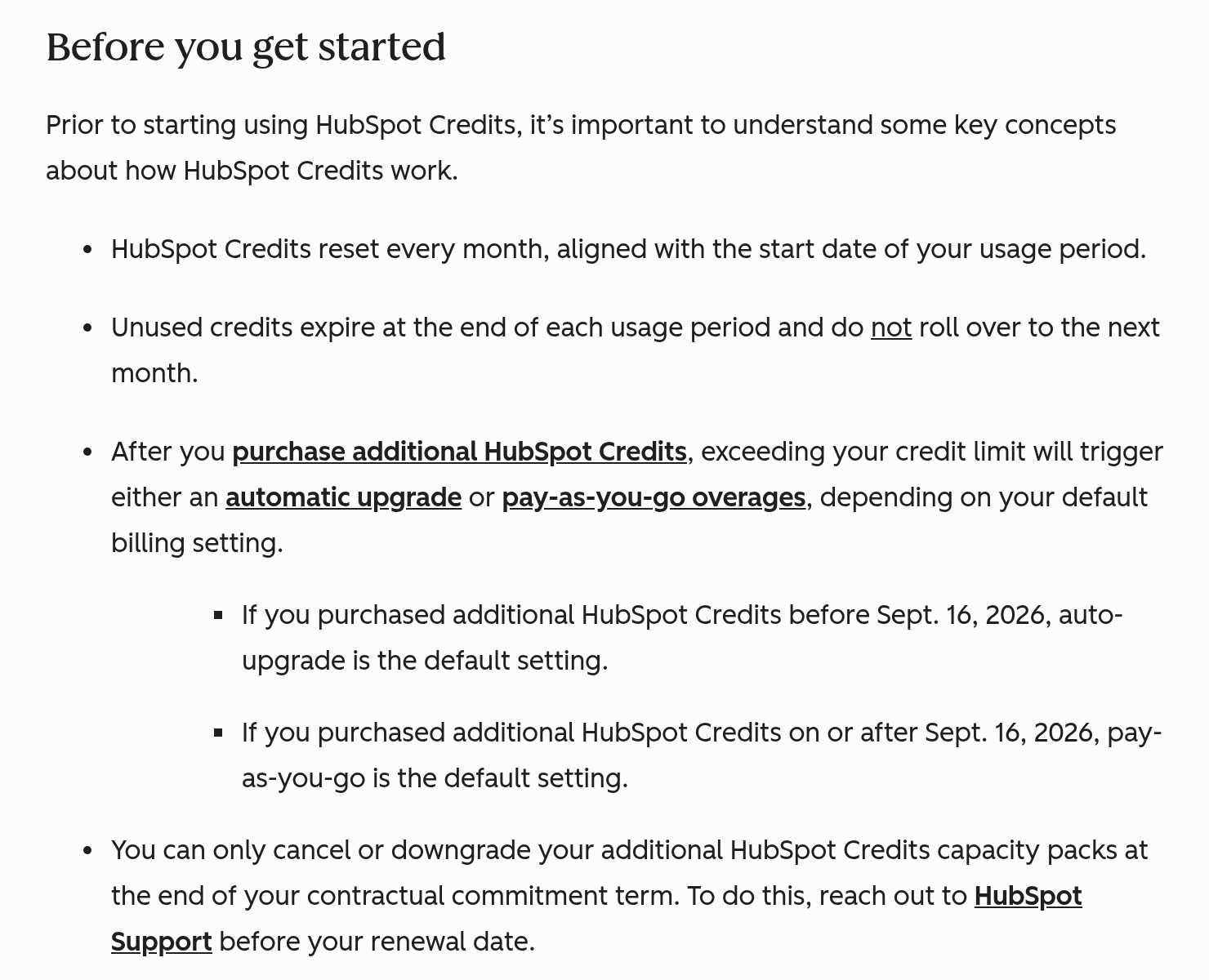
Two cohorts: auto-upgrade (before Sep 16) vs pay-as-you-go (Sep 16 on)
This is the section most explainers get wrong, so I will be careful. Per the credits KB, credit packs purchased before September 16, 2026 default to auto-upgrade. Packs purchased on or after September 16 default to pay-as-you-go.
You may see HubSpot's US Credits product page say "Pay-as-You-Go is the default overage setting for customers." The KB is more precise, and the KB is what I build on: the default depends on the purchase date.
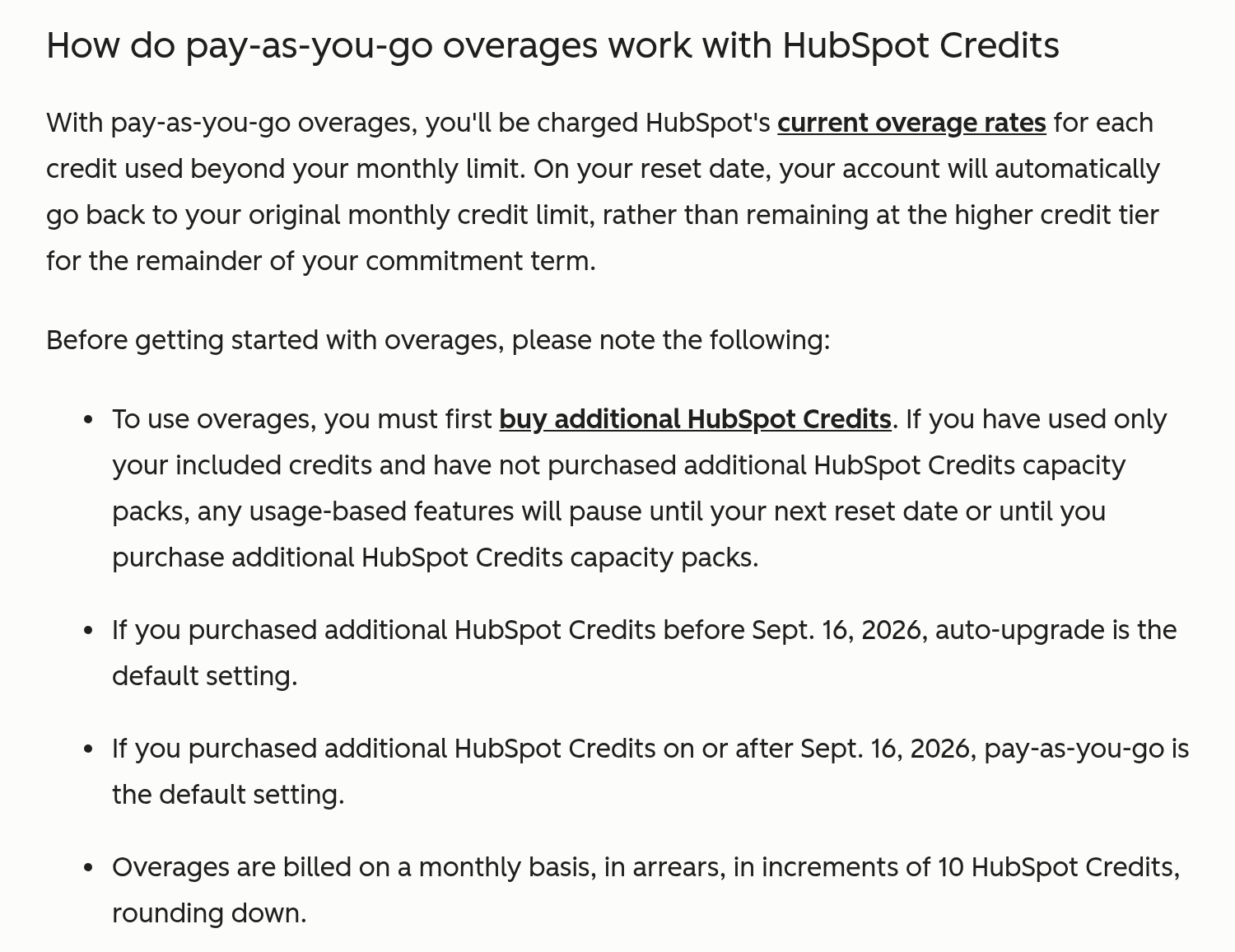
What auto-upgrade does
Auto-upgrade does not bill you a little extra and move on. When you run past your balance, it adds a capacity pack for the rest of your commitment term, and you only get to drop that pack at renewal (credits KB, Product Specific Terms).
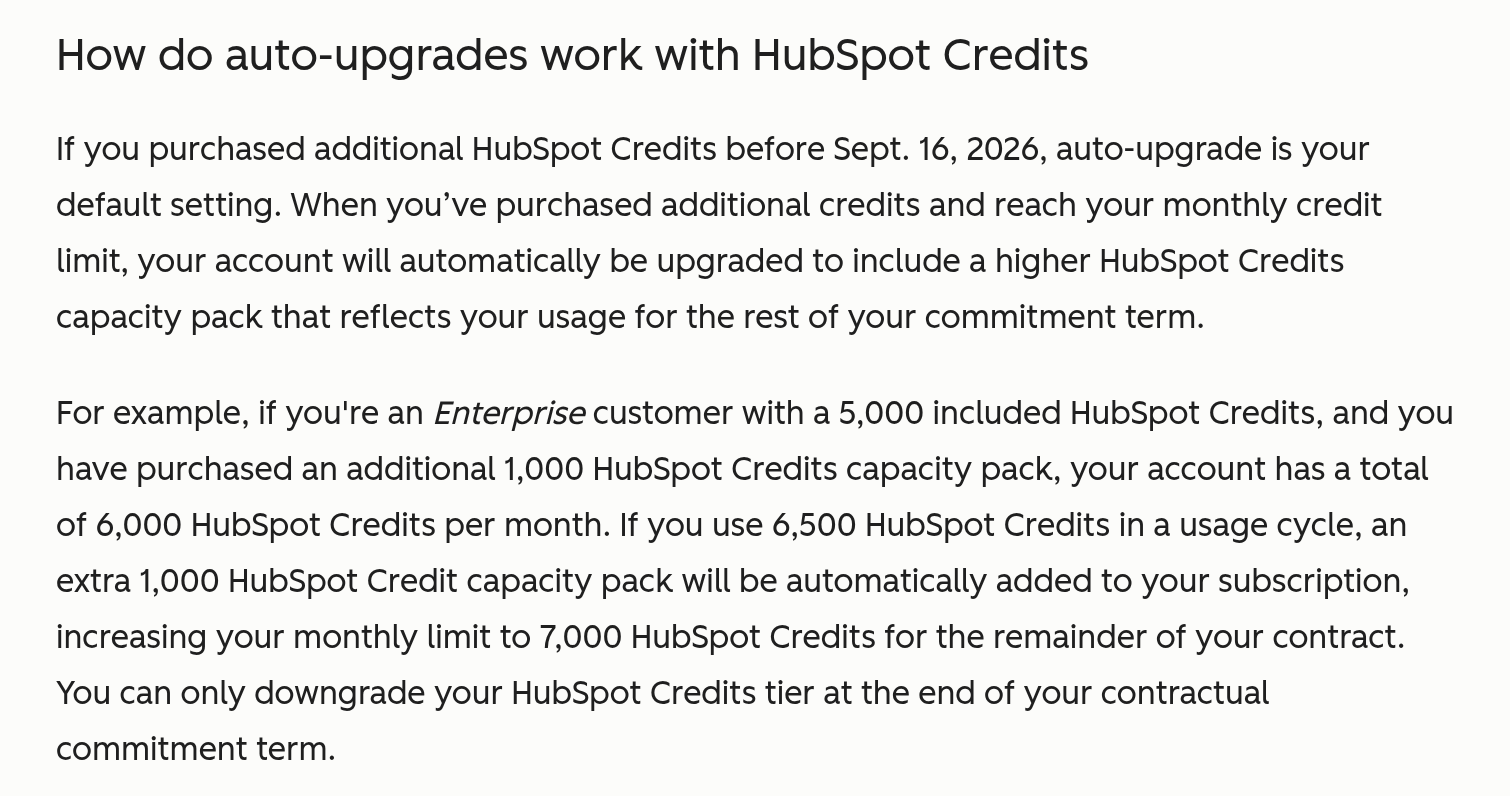
How to check which one you're on, and how to switch
The overage setting lives in your account's HubSpot Credits settings under Account & Billing. Per the KB, it only appears after you buy additional credits, and turning on overages takes a Super Admin or Billing Admin. If you bought packs before September 16 and never touched this setting, assume auto-upgrade until you see otherwise. The KB confirms you can switch to pay-as-you-go. My take: if you have not modeled your agent usage yet, pay-as-you-go plus a spend limit is the saner default, because a surprise is then one month's surprise instead of a term-long one.
Why older explainers still get this wrong
Some independent credit explainers still ranking for these searches give the pre-September guidance, describing automatic upgrade as the default once you buy a pack. If the article you are reading does not mention the date, it is describing half of HubSpot's customers at best.
July 23: every AI agent became a credit consumer
According to HubSpot's test and control agent credit usage article, on July 23, 2026 all AI agents started consuming HubSpot credits.

Two pieces of good news in the same article. Simulations are free, so you can test an agent's behavior without paying for it. And each agent has a monthly run limit you can set. If you are building agents yourself, I wrote about the builder side in HubSpot's MCP and Agent Builder. Every agent you build there now has a meter attached.
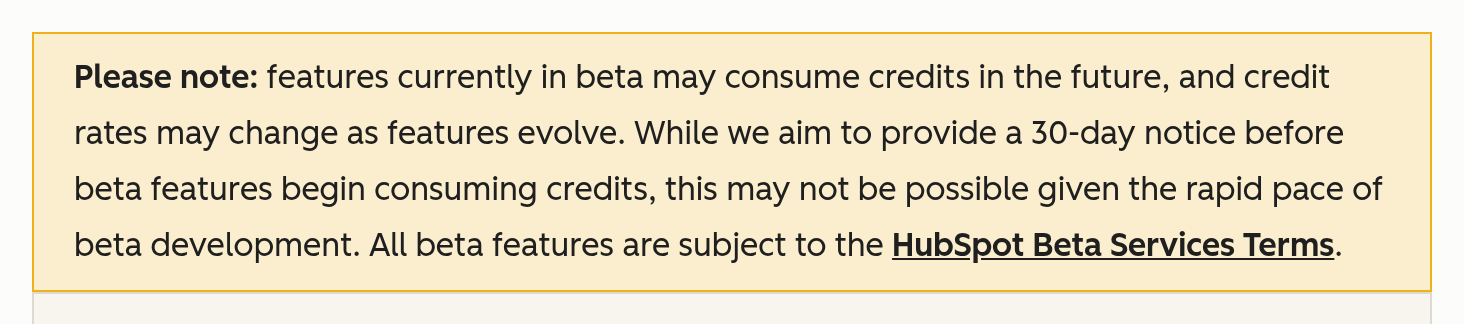
One more line from the credits KB that deserves a highlighter: beta features may start consuming credits later, and HubSpot says giving 30 days' notice "may not be possible." Put beta features under a limit now, while they cost nothing, so the day they start charging is a non-event.
"Resolved" is a billing definition (Customer Agent)
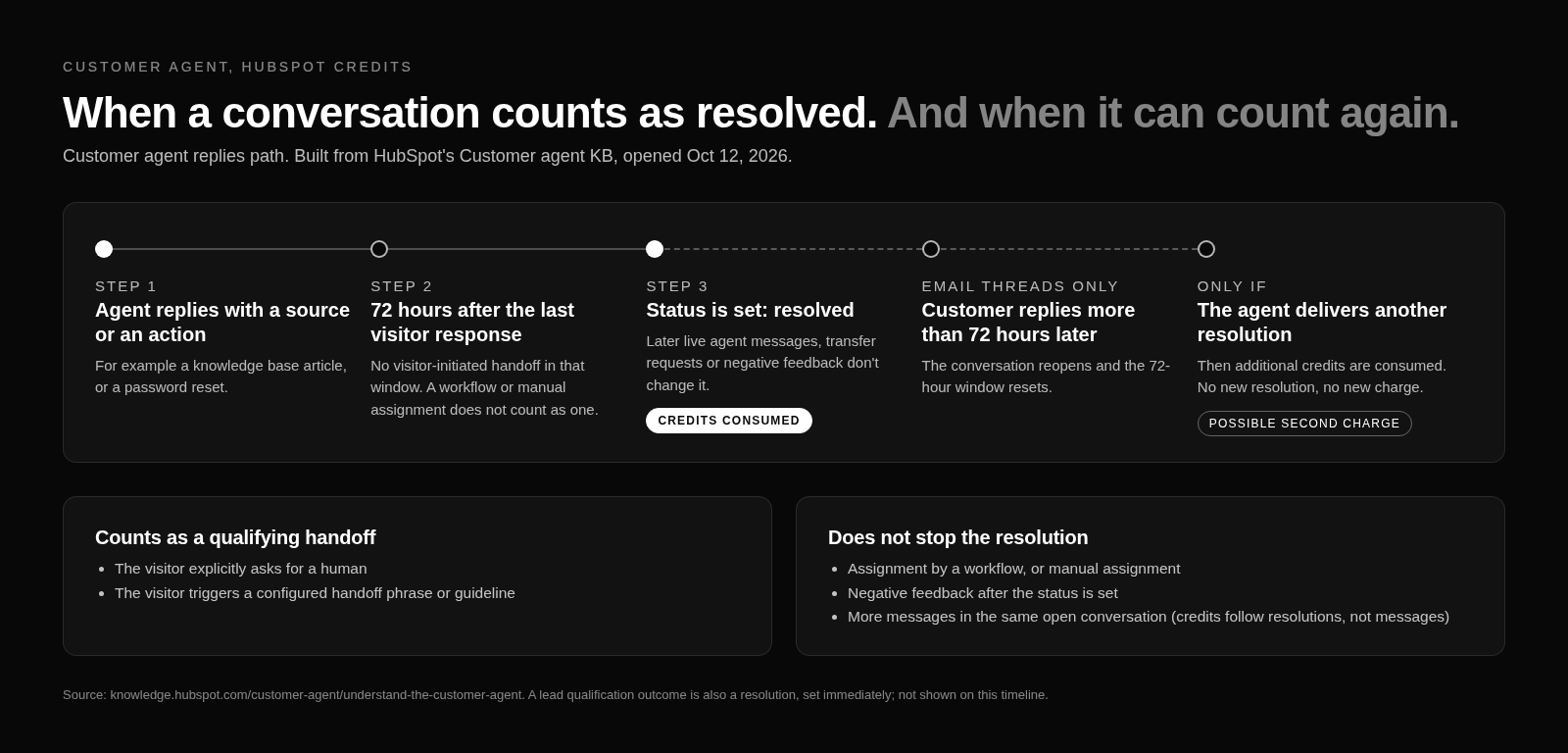
Customer Agent bills per resolved conversation, and the Customer Agent KB also counts a lead qualification outcome as a resolution. That sounds fair until you read how HubSpot defines resolved. It is not "the customer was happy." It is a billing rule.
The 72-hour rule
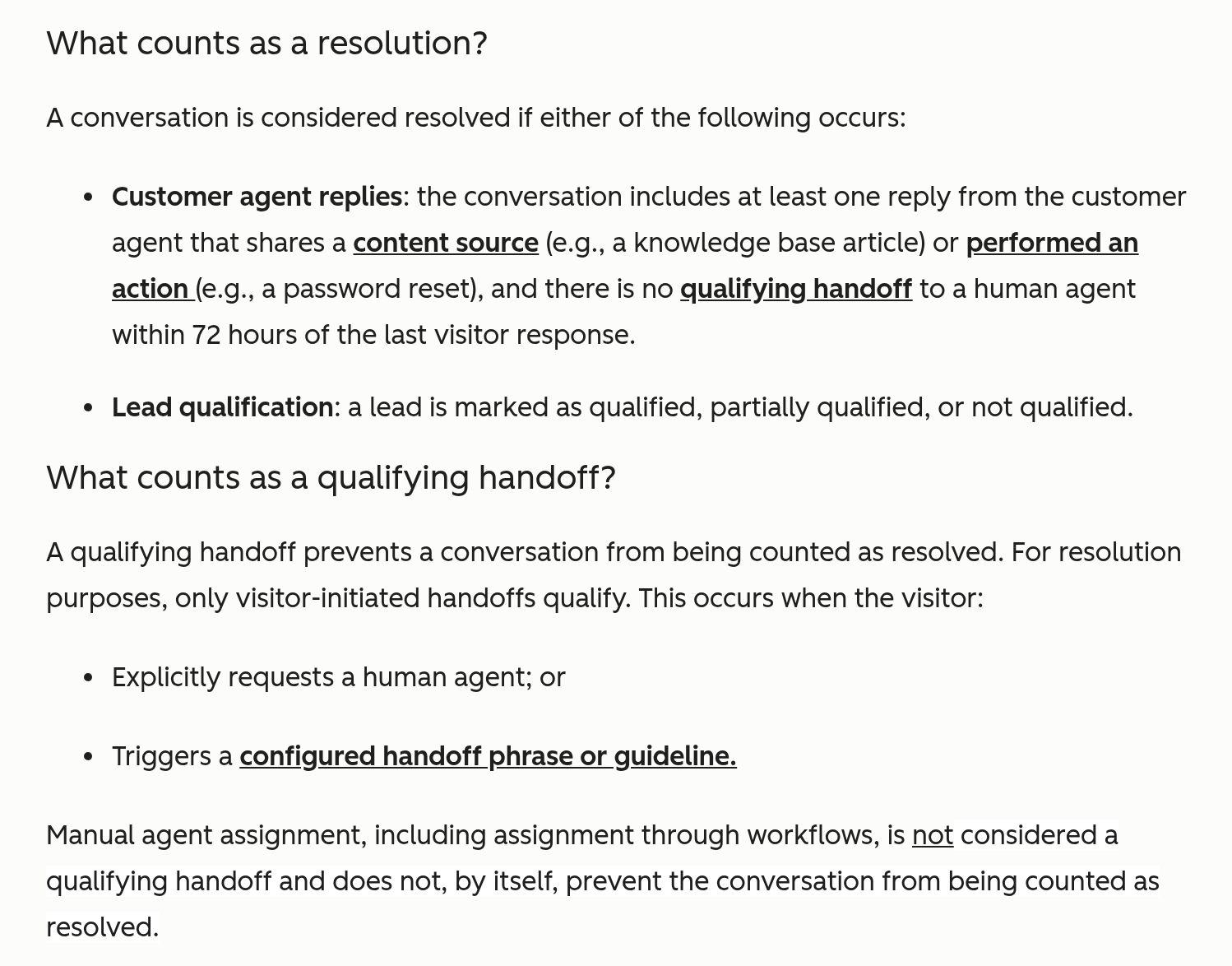
A conversation counts as resolved when the agent replies with a source or takes an action, and there is no qualifying handoff within 72 hours of the visitor's last response. Only a visitor-initiated handoff qualifies. If the visitor does not ask for a human inside that window, the meter treats the conversation as done.
Things that don't stop the charge
Per the KB, a workflow assigning the conversation to a rep does not count as a qualifying handoff. Neither does a rep manually grabbing it. So if your routing workflow kicks every chat to a human after the agent's first reply, you can pay for the agent's resolution and your rep's time on the same conversation. Negative feedback does not change the resolution status either. The visitor can give the reply a thumbs down and the conversation still bills as resolved.
Day-4 reopen means a second charge
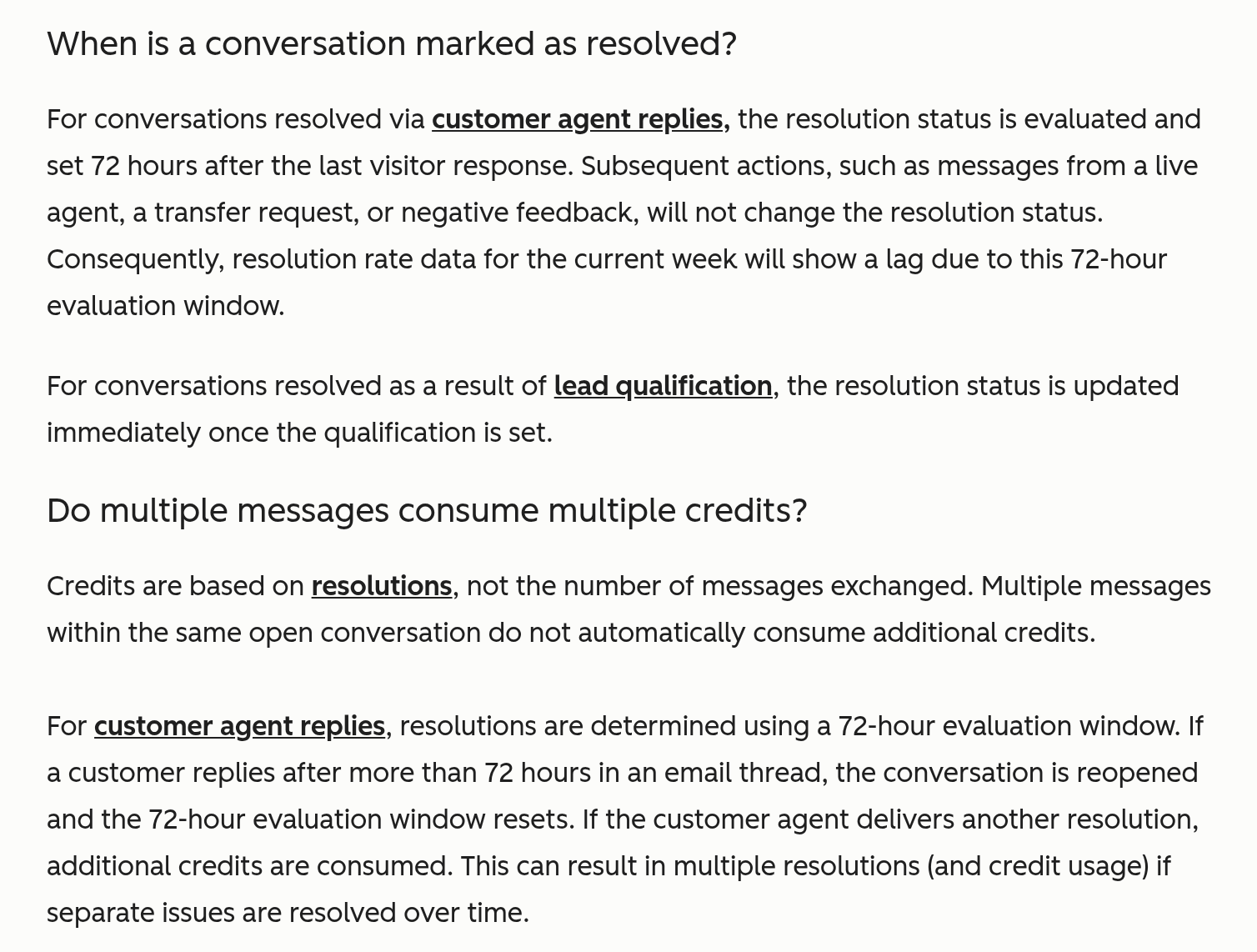
If the customer replies in an email thread more than 72 hours later, the conversation reopens and the 72-hour clock resets. If the agent delivers another resolution, that is a second charge. One thread, two charges.
Charges that fire when the UI looks empty: smart properties
This one is my favorite, in the way a parking ticket is your favorite. HubSpot's smart properties KB says it directly: "Running a smart property consumes HubSpot Credits, even when a value isn't filled." You can run a smart property across a segment, get blank cells back, and still pay for the run.
Now add scheduling. Smart properties can auto-fill on a schedule against a segment, so an empty fill is not a one-time cost. It repeats every time the schedule runs against those records. That is why I keep saying data readiness is a billing issue, not just a hygiene issue. Bad data now means paid empty fills. I covered the cleanup side in Is your HubSpot ready for AI agents?. Fix the data first, then schedule the fills. Do not skip steps.

The rate sheet, priced out
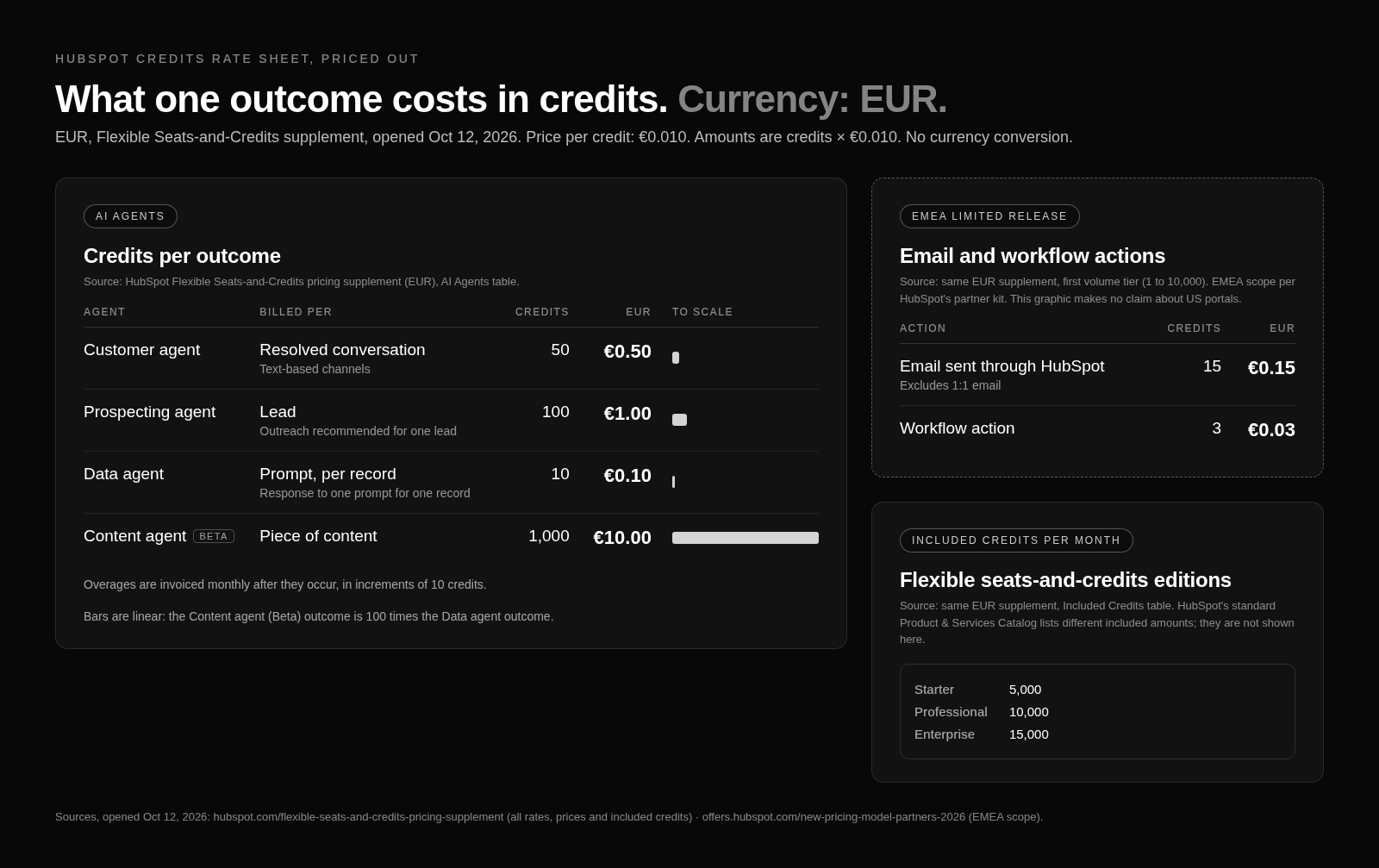
Numbers time. Everything in this section comes from HubSpot's Flexible Seats-and-Credits pricing supplement, and that page is in EUR. I am not converting anything to dollars.
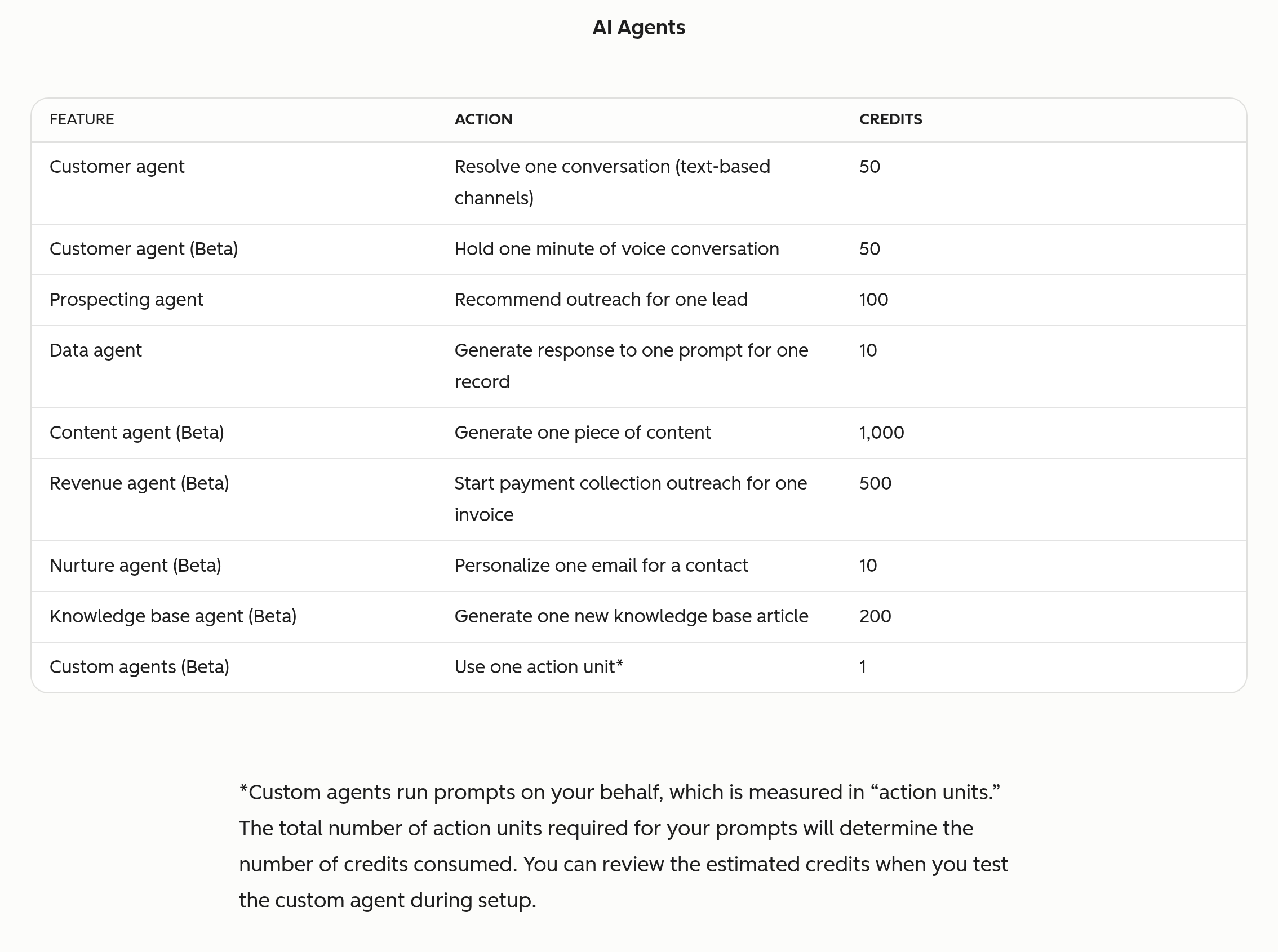
On the supplement, one credit is €0.010, and a capacity pack is €10 per 1,000 credits. Agent rates on the same page:
| Agent (supplement, EUR) | Credits | At €0.010 per credit |
|---|---|---|
| Customer agent | 50 per resolved conversation | €0.50 per resolution |
| Prospecting agent | 100 per lead | €1.00 per lead |
| Data agent | 10 per prompt per record | €0.10 |
| Content agent (beta) | 1,000 | €10 |
If you are in the US and want a dollar figure, use HubSpot's own US page, not my math. The US Credits product page quotes $0.010 per credit (USD) and lists Customer agent at "50 credits ($0.50)." That is a US page with US pricing. Keep the two documents separate. Also, HubSpot's US and EUR documents list different included-credit amounts by edition, so never take an included-credit number from one document and apply it to a contract governed by the other.
Prospecting Agent: where credits meet your sender reputation
Per the Prospecting Agent KB, credits are charged when the agent writes personalized outreach, whether the contact was recommended by the agent or enrolled manually by a rep. So the "I'll just enroll a few by hand" plan still costs credits. The KB also describes a "Send without review" option that sends from the rep's connected inbox. That is a credit decision and a reputation decision at the same time. I would keep review on until you trust what the agent writes.
Flexible seats-and-credits: email and workflow actions join the pool (EMEA, limited release)
Read the scope before the numbers. HubSpot's partner kit for the new pricing model scopes flexible seats-and-credits to EMEA and net-new customers in a limited release, and nothing I opened puts US portals on it or gives a US date. If someone tells you US portals now pay per email send, ask for the link.

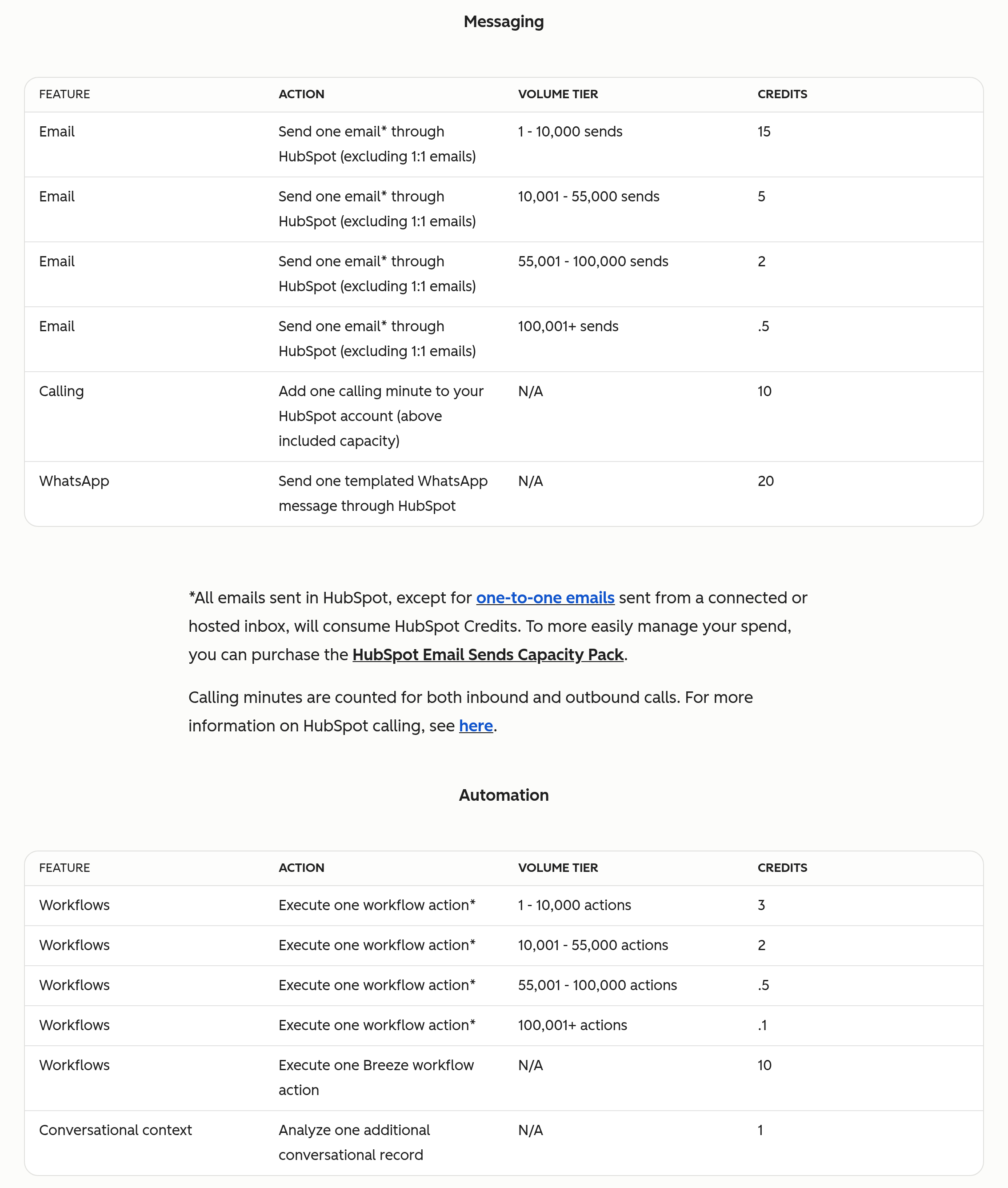
For accounts that are on it, the supplement (EUR) puts more than agents on the meter. Email sent by HubSpot costs 15 credits per send for the first 10,000 sends, excluding one-to-one email. A workflow action costs 3 credits for the first 10,000. Included credits on that model are 5,000, 10,000, and 15,000 depending on edition, again per the EUR supplement.

The partner kit's line is that customers should "see credits as a feature, not a fee." Features you do not meter still show up as fees.
Controls that actually exist
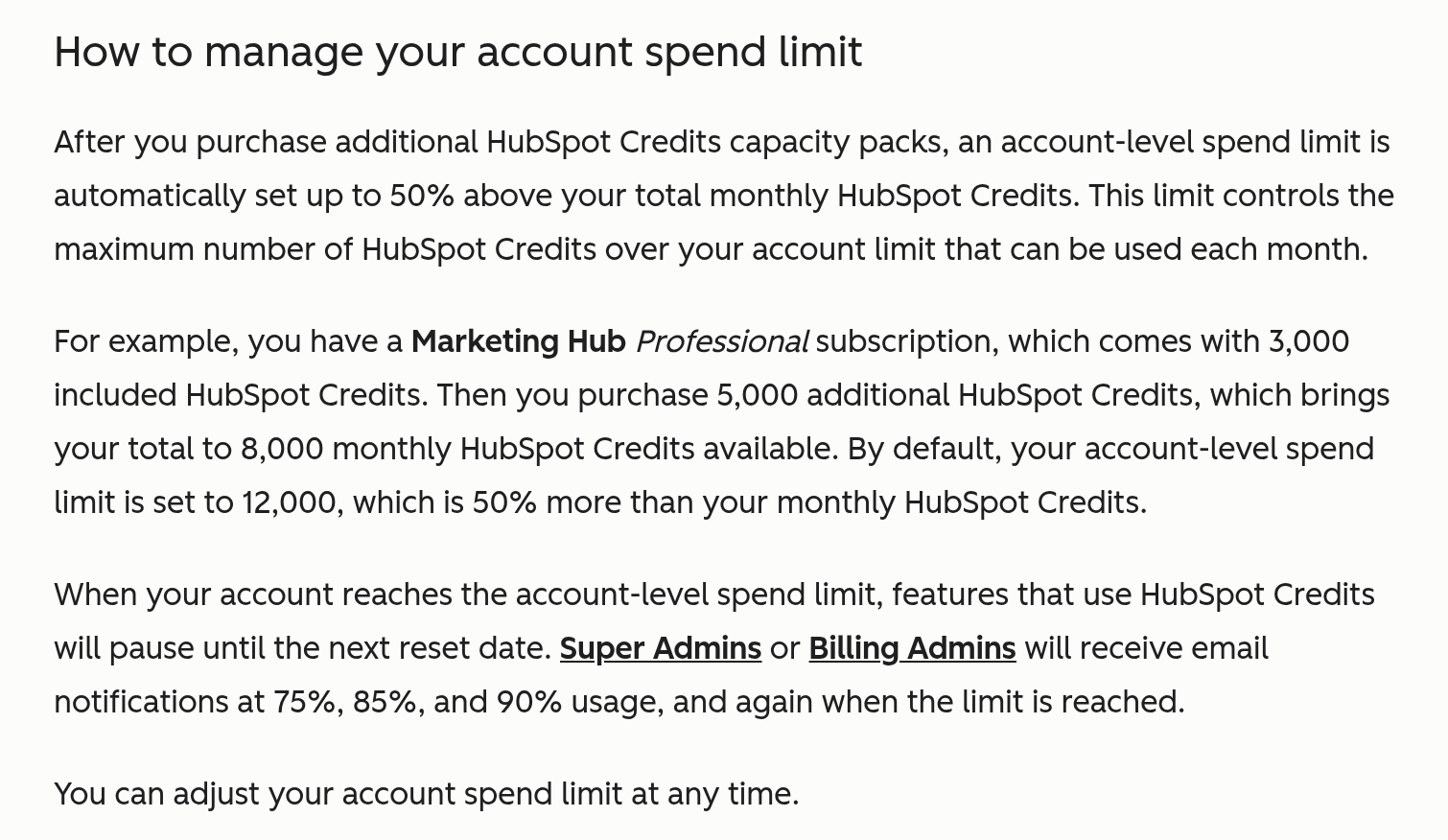
HubSpot gives you real controls; most portals just never set them. From the credits KB: once you buy capacity packs, HubSpot automatically sets an account spend limit at 50% above your monthly credits, and you can change it any time. HubSpot also sends usage alerts at 75%, 85%, and 90%. You can set feature-level credit limits. From the agent credit usage KB: per-agent monthly run limits. HubSpot's own post on avoiding AI credit overages adds action-level limits for buyer intent, introduced in September 2026 (the credits KB confirms they only apply to buyer intent). And the AI setup KB covers limiting which users have permissions for credit-consuming features, which is the one I see skipped most.

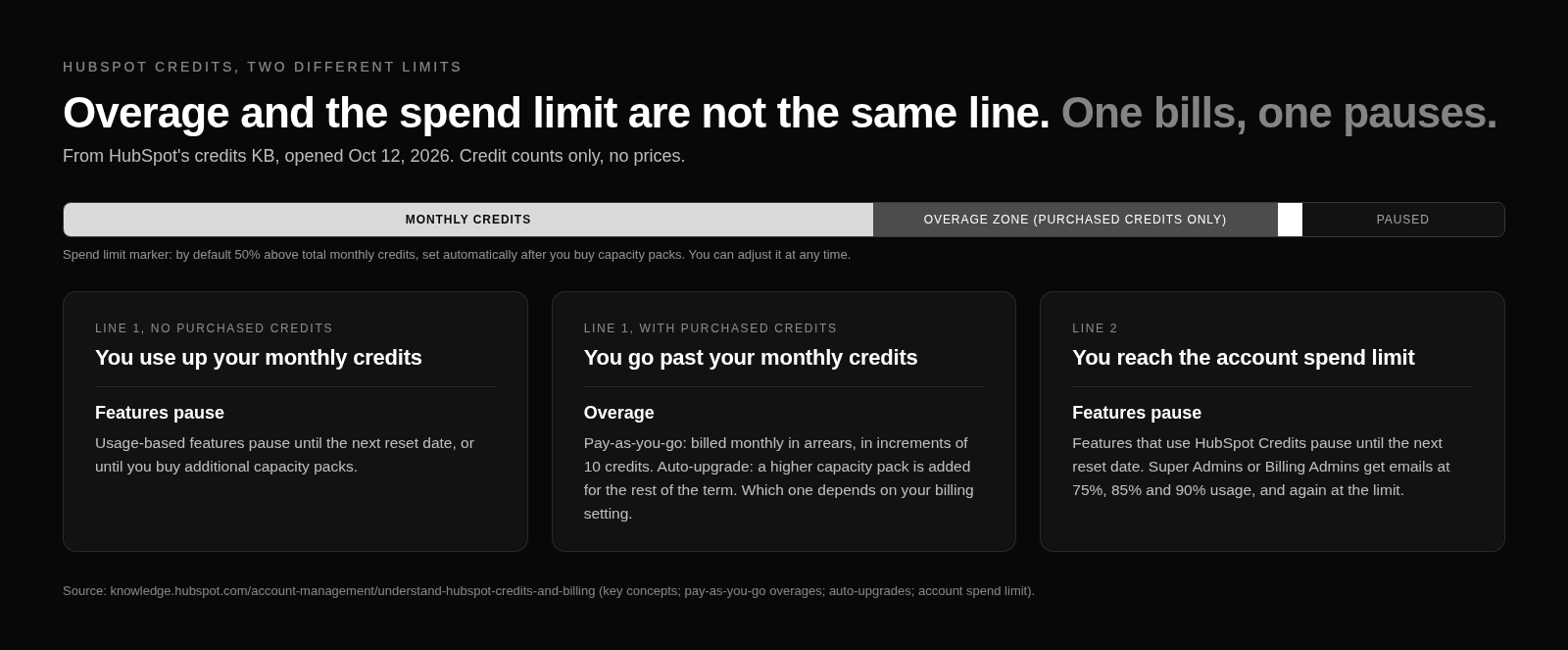
There are two different limits here, and people blur them. Run past your monthly credit balance with no purchased credits and features pause. With purchased credits, you go into overage, pay-as-you-go or auto-upgrade, which is the cohort question again (Product Specific Terms). Overage bills monthly in arrears in 10-credit increments, rounded down (credits KB). Hit the account spend limit and features pause until the next reset either way (credits KB).
The short version of what I would do this week: check your overage setting, set the spend limit, set run limits on every live agent, put limits on betas, and cut credit-consuming permissions to the people who need them. Then look at your routing workflows and smart property schedules, because those are where the quiet charges live.
FAQ
How does HubSpot credits billing work?
HubSpot credits are a monthly balance for the whole account. It resets every month and unused credits do not roll over. When usage goes past the balance, overages are billed monthly in arrears in 10-credit increments, rounded down, per the credits KB.
If I bought credit packs before Sep 16, 2026, am I stuck on auto-upgrade?
Auto-upgrade is your default, not a life sentence. Per the credits KB, packs bought before September 16, 2026 default to auto-upgrade, and you can switch to pay-as-you-go. The catch is anything auto-upgrade already added: those capacity packs run for the rest of your commitment term and only drop off at renewal.
Does Customer Agent bill when a workflow assigns the chat to a human?
Yes. The Customer Agent KB says only visitor-initiated handoffs count as qualifying handoffs. A workflow assignment or a rep manually taking the conversation does not stop it from billing as resolved.
Do smart properties use credits when they return blank?
Yes. HubSpot's smart properties KB says running a smart property consumes credits even when a value is not filled. Scheduled auto-fill against a segment repeats that cost each run.
Are email sends charged in credits for every HubSpot customer?
No. Per-send email credits (15 credits per send for the first 10,000, excluding one-to-one email) and workflow action credits (3 credits for the first 10,000) are on the EUR Flexible Seats-and-Credits supplement. HubSpot's partner kit scopes it to EMEA and net-new customers; nothing I opened puts US portals on it or gives a US date.
What happens when I hit my credit limit?
It depends which limit. Run past your monthly credit balance with no purchased credits and features pause. With purchased credits, usage bills as overage, either pay-as-you-go or auto-upgrade depending on your setting (Product Specific Terms). Hit the account spend limit and features pause until the next reset, purchased credits or not. Per the credits KB, HubSpot sets that spend limit automatically at 50% above your monthly credits once you buy capacity packs, you can adjust it any time, and alerts fire at 75%, 85%, and 90%.
Do agent simulations or tests use credits?
Simulations are free, per HubSpot's agent credit usage KB. Each agent has a monthly run limit you can set.
If you want a second set of eyes on your HubSpot credits settings before the next overage bill, use the contact form on allgusto.com.