Gatehouse, a HubSpot member portal theme for associations
Your members area should look like your site, not like a login screen.

If your association runs members-only pages on HubSpot, your members sign in to renew, find resources and update their details on pages that look plain and generic, right when you are asking them to trust you with a password. Gatehouse, a HubSpot member portal theme, gives your sign-in, registration, password, 404 and members-only pages your logo, colors and fonts, with navigation that knows who is signed in. It costs $599 on the HubSpot Marketplace, and you can click through a working demo at gatehouse.allgusto.com before you buy. HubSpot memberships already decide who can sign in and which pages they can see, and they do that job well. What they leave to you is how those pages look, and that is the part Gatehouse handles.
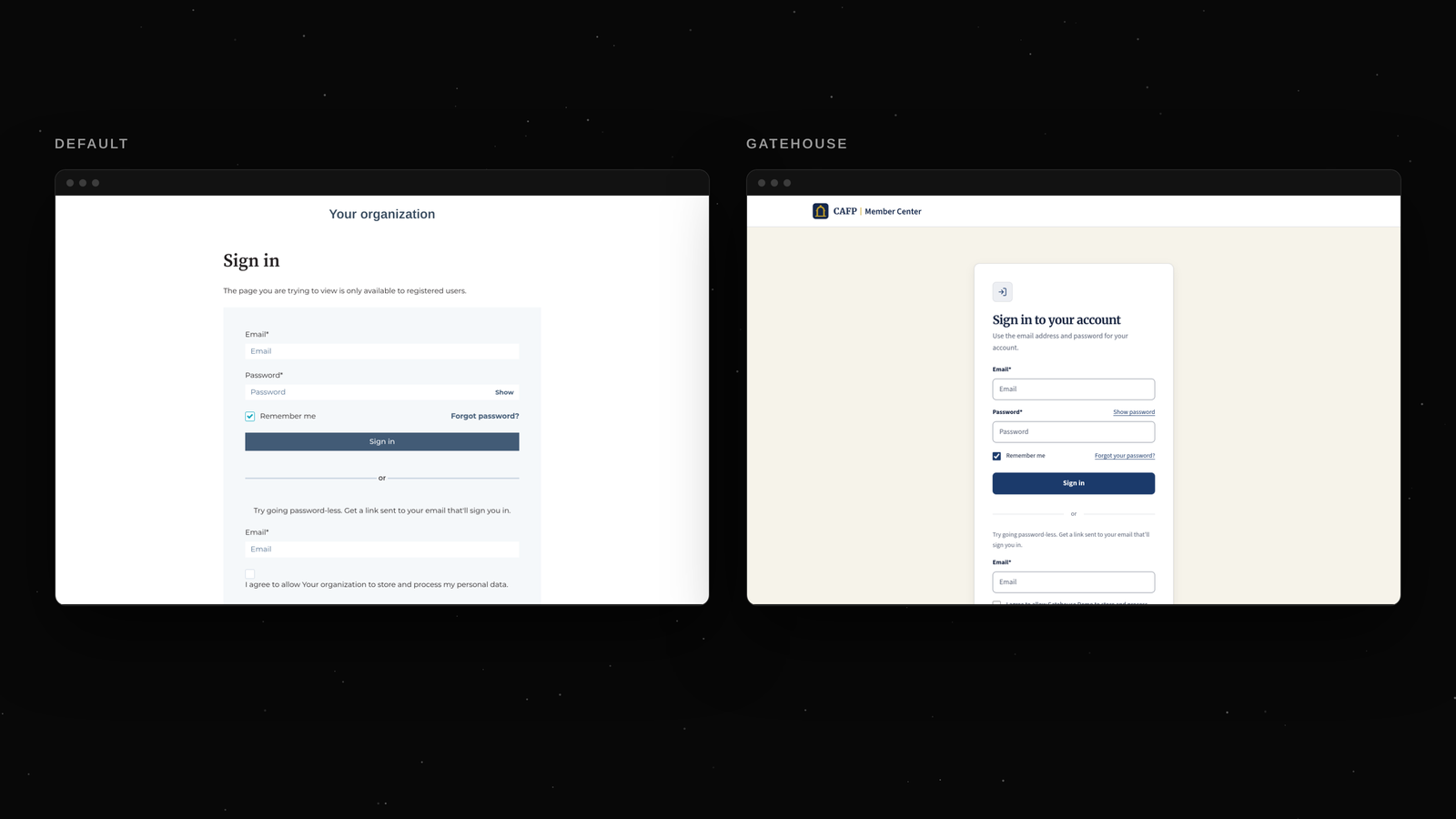
Demo site, fictional organization
Who Gatehouse is for
I built Gatehouse for associations and member organizations: professional bodies, trade associations, chapters and societies that already run their member records in HubSpot and want a members area on the same platform. These organizations tend to share a pattern. The public site was designed with care, the membership program is the core of the business, and the sign-in page is the one page nobody designed. Members notice. A login screen that looks like it belongs to someone else makes renewals feel less safe and sends more "is this the right page?" emails to your staff.
What Gatehouse includes
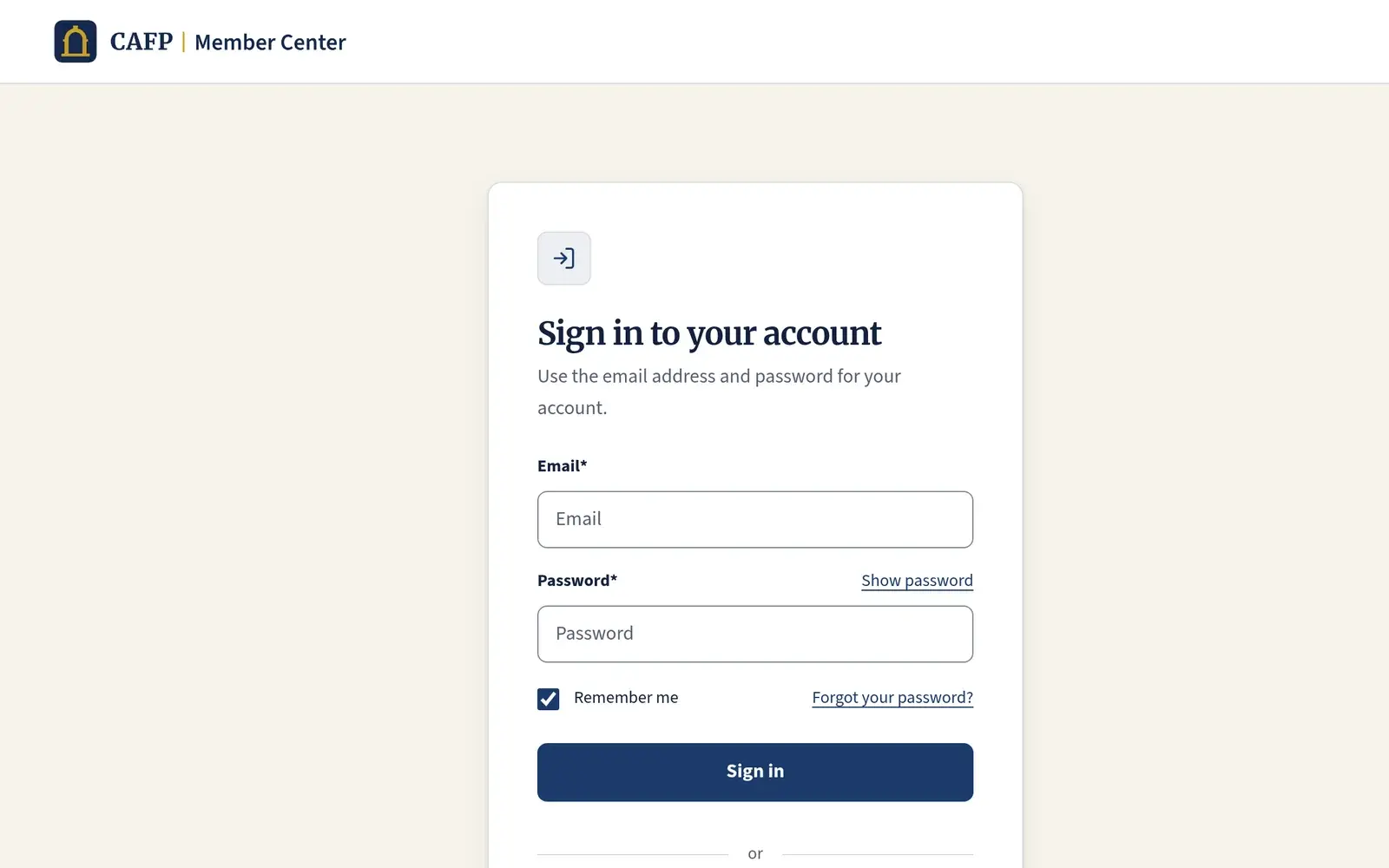
The theme ships branded templates for every page HubSpot memberships send people to: sign in, registration, password reset, new password, the password prompt, and a 404 page. Your logo, colors and fonts carry through from theme settings, so you set them once and every one of those pages follows. Error messages use an icon and text, never color alone, which matters more than it sounds on a sign-in form where the most common experience is a mistyped password.
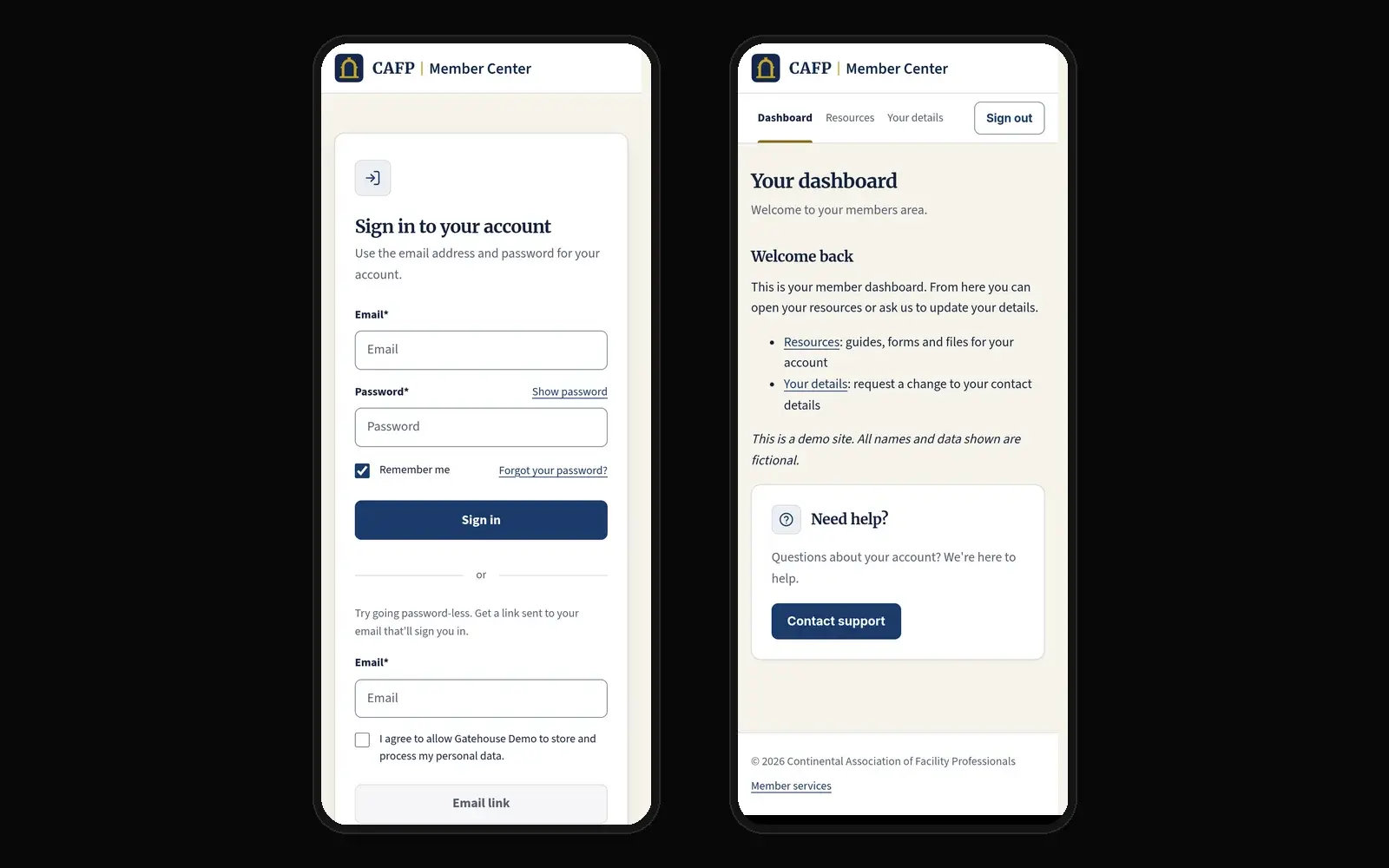
Beyond the system pages, there is a member dashboard template for members-only pages. A signed-out visitor who reaches one sees a clear heading and a sign-in button that brings them back to that same page after they sign in, instead of dropping them on a home page and making them find their way again. Signed-in members see your heading, intro and content in drag-and-drop areas you edit in the normal page editor.
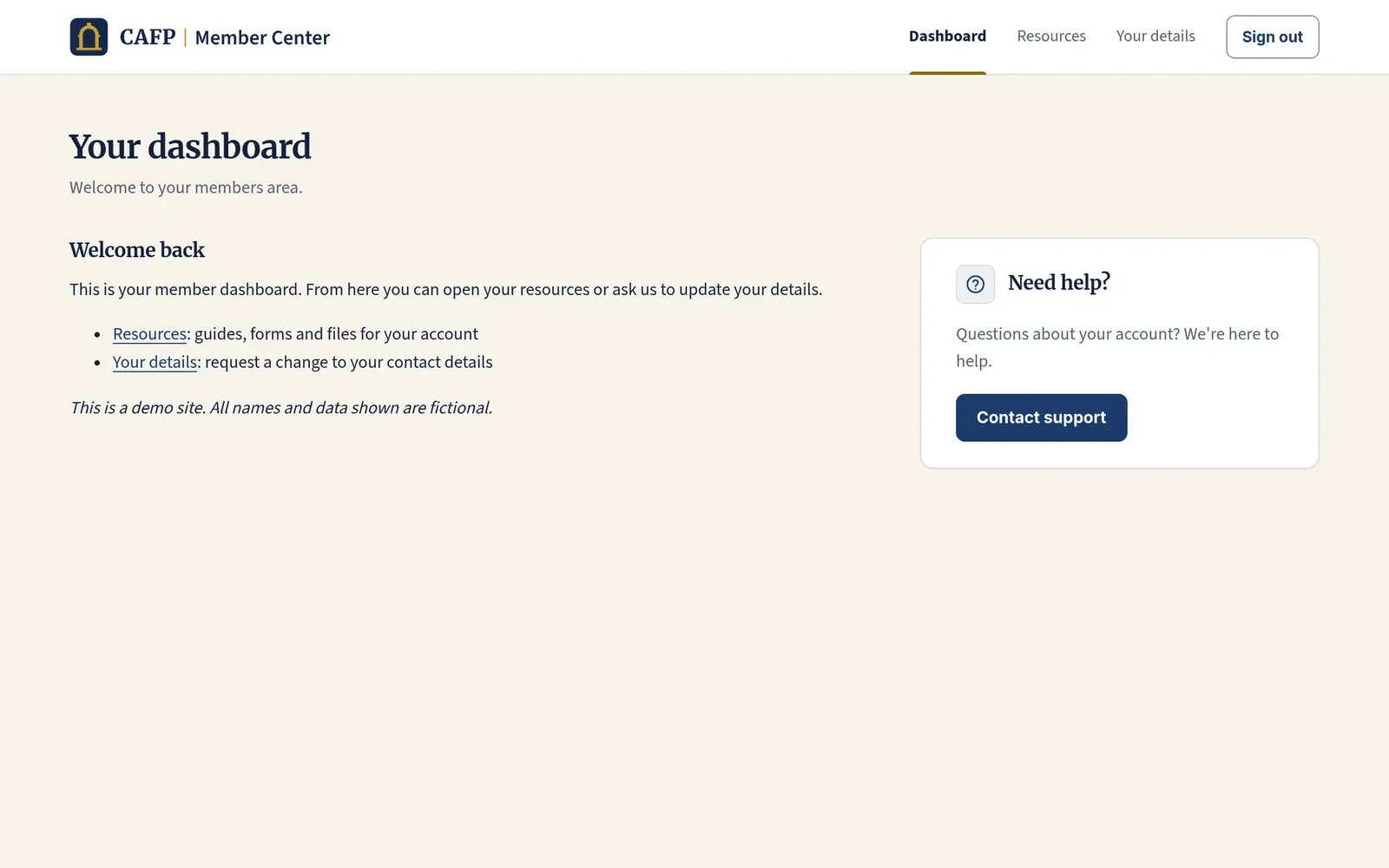
There is also a members-only resources page, where you add guides, files and links in the page editor, each with a short description and, for downloads, the file type and size. For an association, this is where the member handbook, the annual meeting packet and the continuing education forms usually go. A "Your details" page holds a HubSpot form you choose, so members can ask for a change such as a new employer or job title. The page shows no contact data, and your team reviews each request before anything in the CRM changes. A help card with a heading, short text and a button to your support page or email can go on any member page.
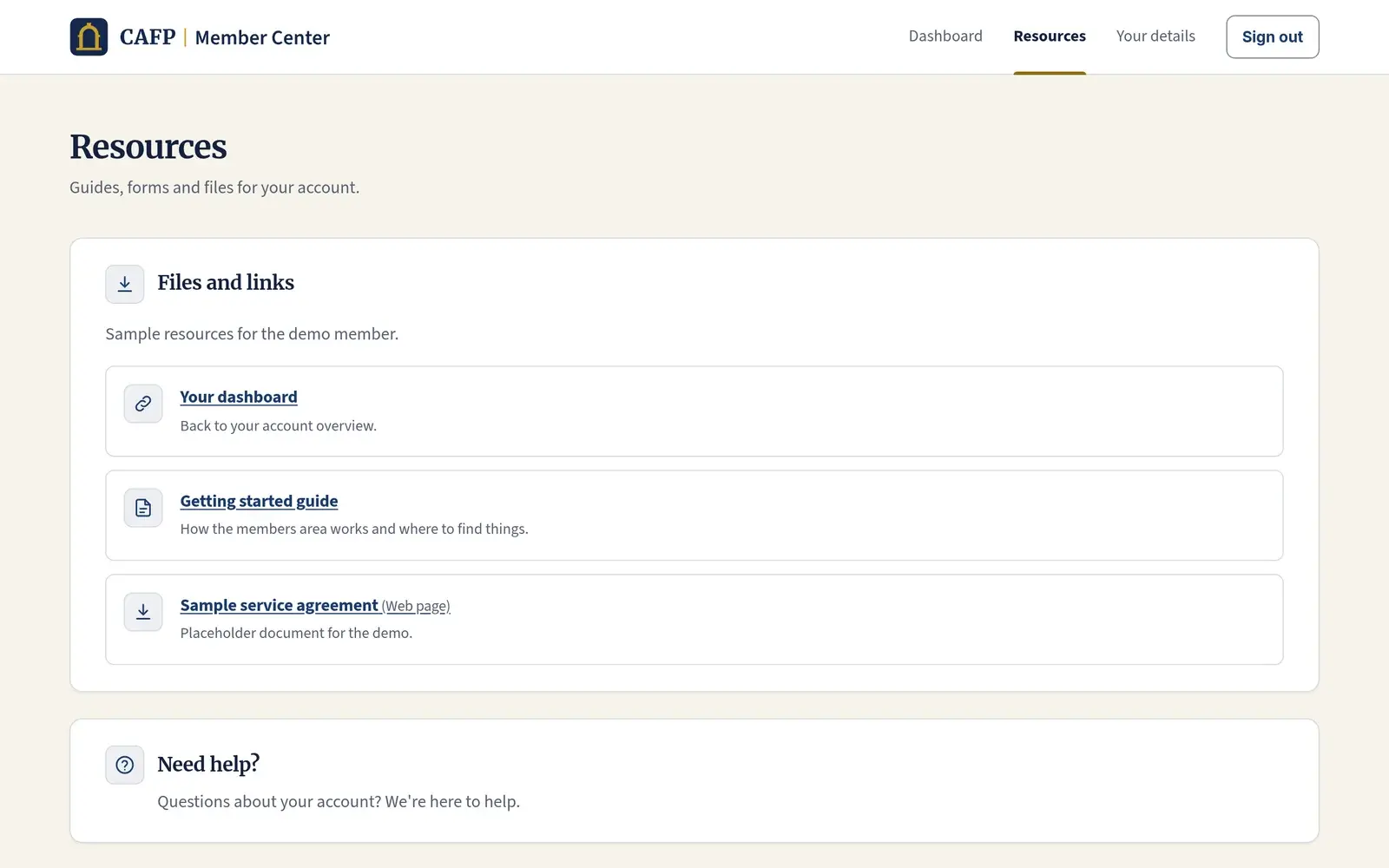
Navigation for signed-in members
Most members areas fail in the header before they fail anywhere else. A member signs in and the navigation still offers "Sign in," or a member signs out and still sees links to pages they can no longer open. Gatehouse treats this as a theme job. You pick any HubSpot menu as the member menu, and only signed-in members see it, next to a sign-out button. Everyone else sees a sign-in link, plus an optional register link if your association allows self-registration. None of this needs custom code or a separate login system, because it sits on top of HubSpot's own memberships.
Accessible by default, and changed in settings
Colors, fonts, buttons, header and footer are theme settings. You can rebrand the whole members area without opening a template, which is what keeps a theme maintainable after the person who set it up moves on. For associations with volunteer boards and staff turnover, that matters. Every page works on phones.
On accessibility, the default colors meet WCAG AA contrast. The theme ships no theme JavaScript. HubSpot still loads its own scripts on the page, so I do not describe it as script-free, but nothing in the theme adds to that. If you change the default colors, check your new palette for contrast, because a theme can only guarantee the defaults it ships with.
What is in scope and what is not
Gatehouse handles presentation only, and access, member records and billing stay with HubSpot and the systems you already use.
In scope:
- Branded sign-in, registration, password reset, new password, password prompt and 404 templates
- Member dashboard and members-only resources page templates
- A member menu and sign-out shown only to signed-in members
- A "Your details" page with a HubSpot form slot, and a help card
- Theme settings for colors, fonts, buttons, header and footer
- Running on its own subdomain while your main site keeps its current theme
Out of scope:
- Showing CRM records to members, such as deals, tickets, company records or custom objects
- Ticket support. HubSpot's support portal (formerly customer portal) on Service Hub Professional or Enterprise is the native answer, and I would point you there.
- Access control, which lives in HubSpot's private content settings and access groups
- Protecting files. Files listed on the resources page are not access-controlled themselves, so keep confidential documents out of that list.
- Single sign-on, payments, dues collection or membership billing
What you need before you buy
Members-only pages require Content Hub Professional or Enterprise. Legacy CMS Hub Professional does not include memberships, so if your account still shows that name, check before you purchase. Private content also needs a connected domain, and private content settings are set per subdomain, which is worth deciding early.
Because each HubSpot page picks its own theme, you do not have to move your whole site to Gatehouse. A common setup for an association is a members subdomain such as members.example.org running Gatehouse, while the main site keeps its current theme or is not on HubSpot at all.
Setup sequence
This is the order I would follow in any portal. Each step depends on the one before it, and skipping ahead usually means redoing a page.
| Step | What you do | Why it comes here |
|---|---|---|
| 1 | Install Gatehouse from the HubSpot Marketplace | Puts the theme and templates in your design tools |
| 2 | Set theme settings: logo, colors, fonts, buttons, header, footer | Every template uses these, so set them before building pages |
| 3 | In Private Content settings, assign the Gatehouse sign-in, registration, password reset and new password templates for your subdomain | These are the pages members actually hit first |
| 4 | Assign the 404 and password prompt templates | Covers the dead ends and password-protected pages |
| 5 | Create your access group and members-only pages from the dashboard and resources templates | Access lives in HubSpot; the theme only presents it |
| 6 | Pick the member menu and decide whether to show the register link | Navigation depends on pages existing |
| 7 | Add the "Your details" form and help card | Needs your form and support destination ready |
| 8 | Test as a member: sign out, open a members page, sign in, confirm you land back on it, then sign out again | Preview mode does not behave like a real signed-in member |
The setup guide walks through each of these steps. Step 8 is the one people skip. Test with a real member account in a private browser window, not in the page editor's preview, before you send the link to your membership list.
Frequently asked questions
Is this the same as HubSpot's customer portal?
No. HubSpot's support portal (formerly customer portal) is a Service Hub Professional or Enterprise feature built around tickets, with an inbox and a help desk behind it. Gatehouse is a theme for Content Hub sites that use memberships to put pages behind a sign-in. If your members mainly need to submit and follow tickets, use the native support portal, because that is what it is for. If you need a branded members area with resources, members-only content and proper sign-in pages, that is what Gatehouse is for. Some associations end up with both.
Do I need a developer to set it up?
For the theme, usually not. Setup is theme settings plus HubSpot's private content settings, and both live in normal HubSpot screens. Someone on your staff who is comfortable editing pages and settings in Content Hub can follow the sequence above. Where people get stuck is HubSpot's own memberships configuration, such as access groups and the per-subdomain private content settings. The Gatehouse setup guide walks through those steps in order.
Does Gatehouse touch member data?
No. The theme makes no CRM calls and ships no theme JavaScript. Signing in, passwords and access are handled by HubSpot memberships, so member data stays in your HubSpot account where it already lives. The "Your details" page shows no contact data at all; it holds a HubSpot form, and submissions arrive the same way any form submission does. Your team decides what to update.
Can members see their own records, renewals or tickets with this theme?
Not with the theme on its own. Gatehouse is presentation only by design, and showing CRM records on member pages is a separate job with its own access questions: who sees what, which properties, and what happens when a record should not be visible. If that is what your members are asking for, tell me about it through the contact form below and I will tell you what is realistic in your portal and subscription.
What does it cost, and what about support?
Gatehouse is $599 on the HubSpot Marketplace, with free support in English. Support questions come to me directly through the support email on the listing, not to a ticket queue staffed by someone who has never seen the theme. If you are not sure it fits, book a free fit check before you buy. Tell me your subscription and how your members sign in today through the form below, and I will tell you plainly whether Gatehouse fits your setup or whether something else would serve you better.
When should I not buy this?
If you are on Content Hub Starter or legacy CMS Hub Professional, memberships are not available, so the theme cannot do its job. If your real need is ticket support, the native support portal is a better fit. If you need dues collection or event registration with payments, those live outside the theme. And if you need members to see CRM records, the theme alone will not do it, so ask me before you spend the money.
Get Gatehouse
If your members area needs to look like your association's site, start with the live demo. Sign in, open a members page, sign out, and see whether the flow is what you want your members to see. Then read the setup guide so you know the order before you start. Gatehouse is $599 on the HubSpot Marketplace and installs straight into your portal. The theme's terms and privacy pages say what you are agreeing to and what, if anything, the theme collects.
Not sure it fits your members area? Tell me through the form below which HubSpot subscription you have and what your members need to do once they sign in, and I will do a free fit check and tell you plainly whether Gatehouse fits or something else would serve you better. It comes to me, and I reply myself. You can also see the other HubSpot apps and themes I build.